TL;DR: Vibe Coding lets AI improvise freely—fast but unpredictable. Spec-Driven Coding constrains AI behavior through persistent specification files, delivering predictable and traceable output. This post breaks down both approaches using real-world experience with OpenSpec + Claude Code.
Background
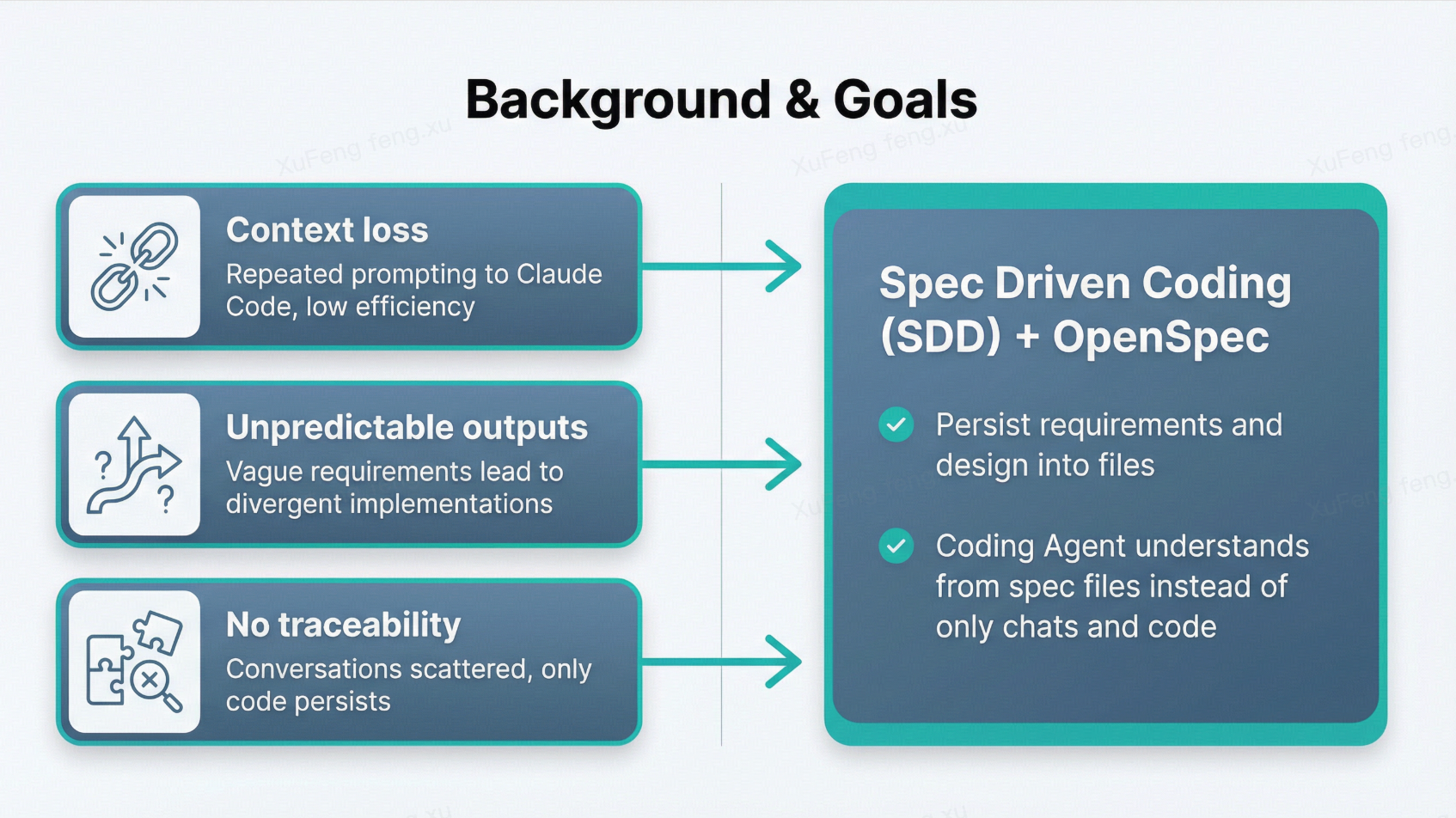
I currently use Claude Code for requirement analysis, technical design, and code implementation. After extensive Vibe Coding, I’ve hit three core pain points:
- Context loss — Every new conversation requires re-feeding requirement docs, design decisions, and repo knowledge. Extremely inefficient.
- Unpredictable output — Same requirement, different conversation, completely different implementation. Vague chat instructions give AI too much creative freedom.
- No traceability — After shipping a feature, all thinking and discussion lives only in the chat history. The only persistent artifact is the code itself.
Spec-Driven Development (SDD) solves this by extracting requirements, designs, and decisions from chat history into structured, persistent files. AI understands projects far better from well-organized spec files than from scattered conversations and code.
After evaluating options, I chose OpenSpec as my SDD framework—it’s lightweight, incremental, and easy to adopt.
OpenSpec Core: The Three-Layer Structure
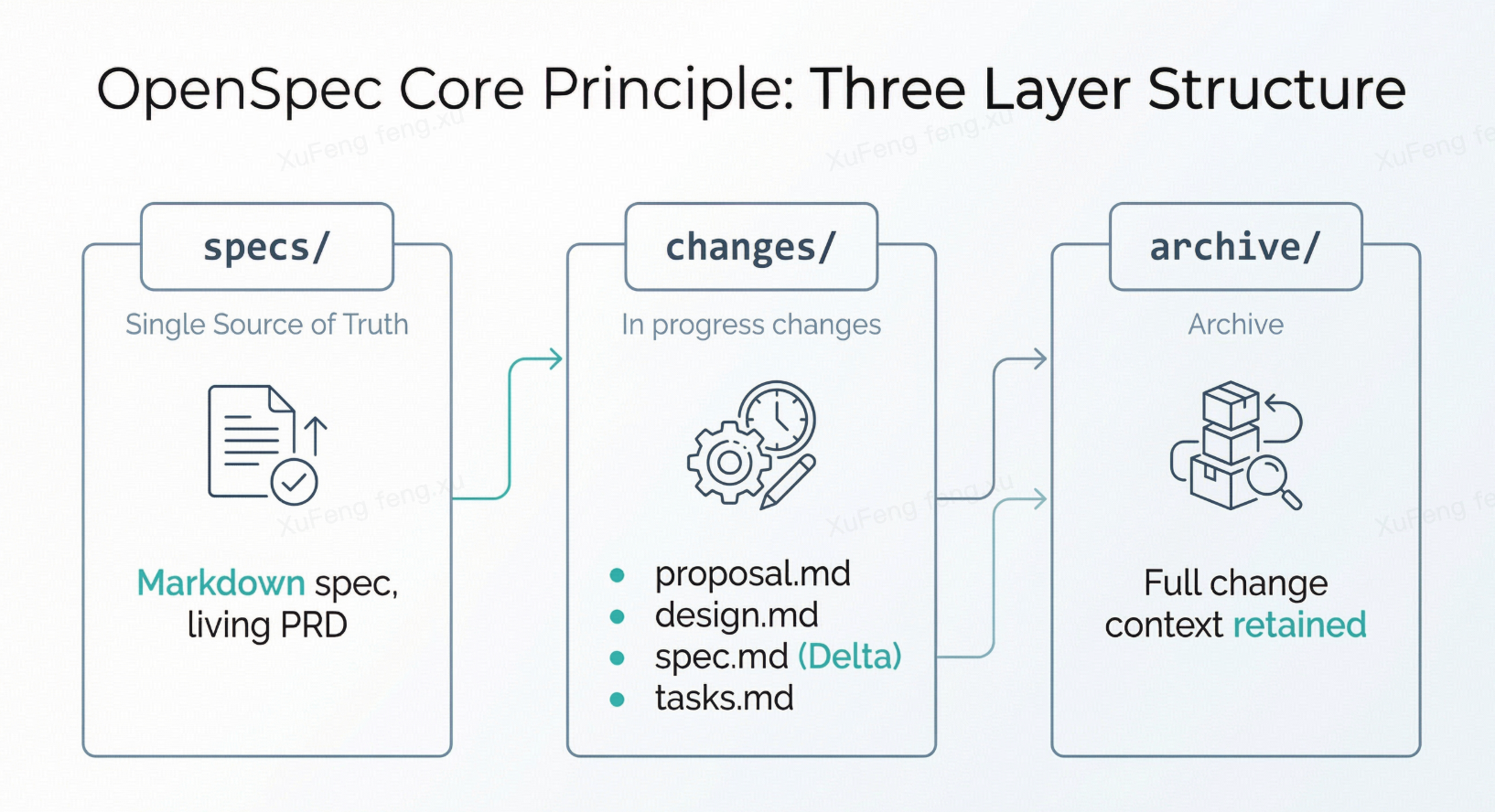
Everything revolves around an openspec/ directory:
specs/ — The system’s “single source of truth.” Markdown files describing current system behavior. Not code, but a contract for “how the system should work”—a living, versioned PRD.
changes/ — In-progress changes. Each feature or fix gets its own subdirectory with four core artifacts:
proposal.md— Why we’re doing thisdesign.md— How we’ll build itspec.md— Incremental specification (Delta Spec)tasks.md— Implementation checklist
These files are the “blueprints” you hand to AI.
archive/ — Completed change records. Essentially Architecture Decision Records (ADRs), preserving full context permanently.
The Key Concept: Delta Specs
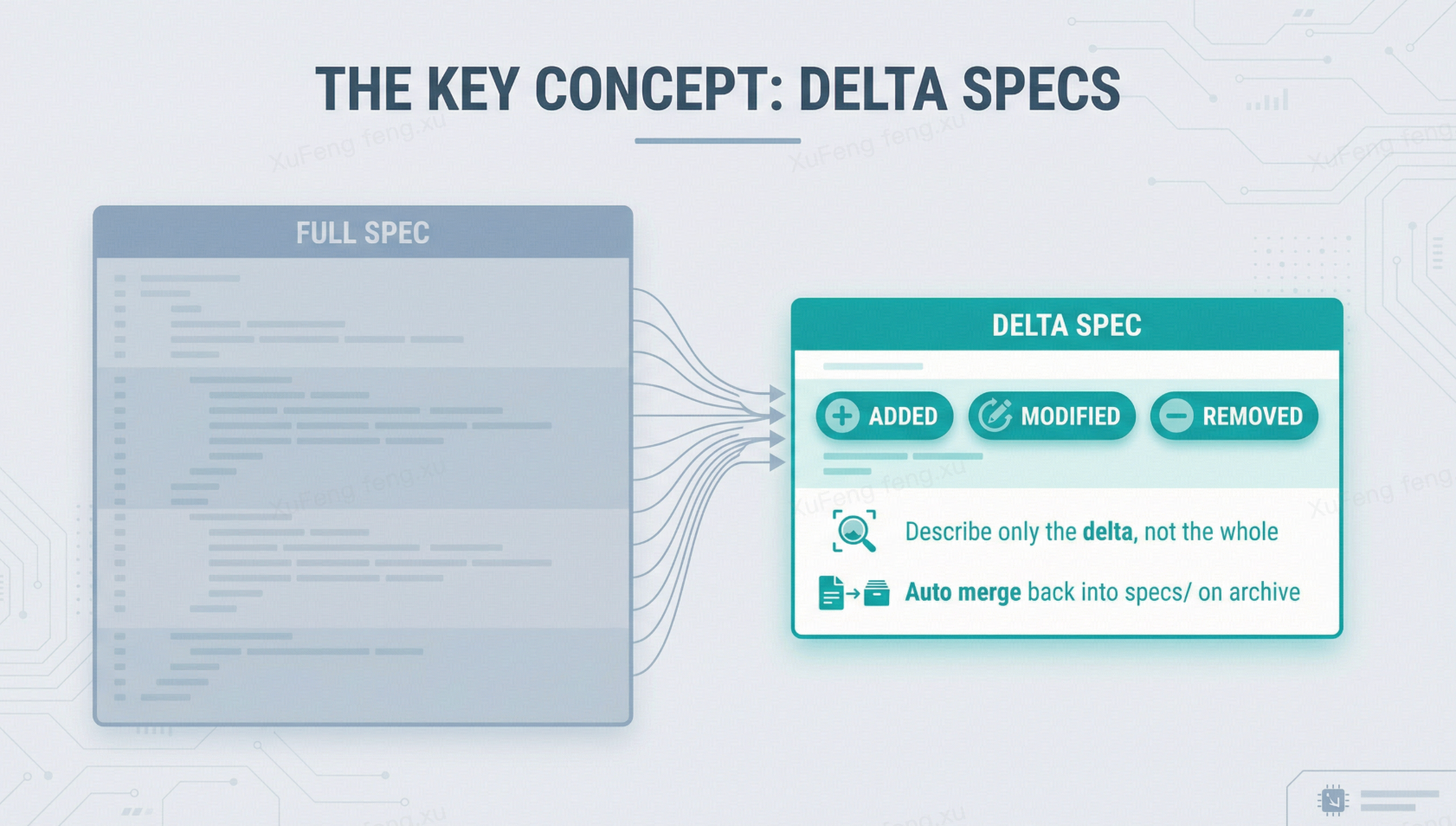
This is OpenSpec’s most valuable design. Instead of rewriting the entire system specification, you mark changes in changes/ using ADDED, MODIFIED, and REMOVED tags. On archive, these deltas automatically merge back into specs/.
This mirrors the diff-patch model in version control—particularly friendly for existing codebases.
OpenSpec + Claude Code Workflow
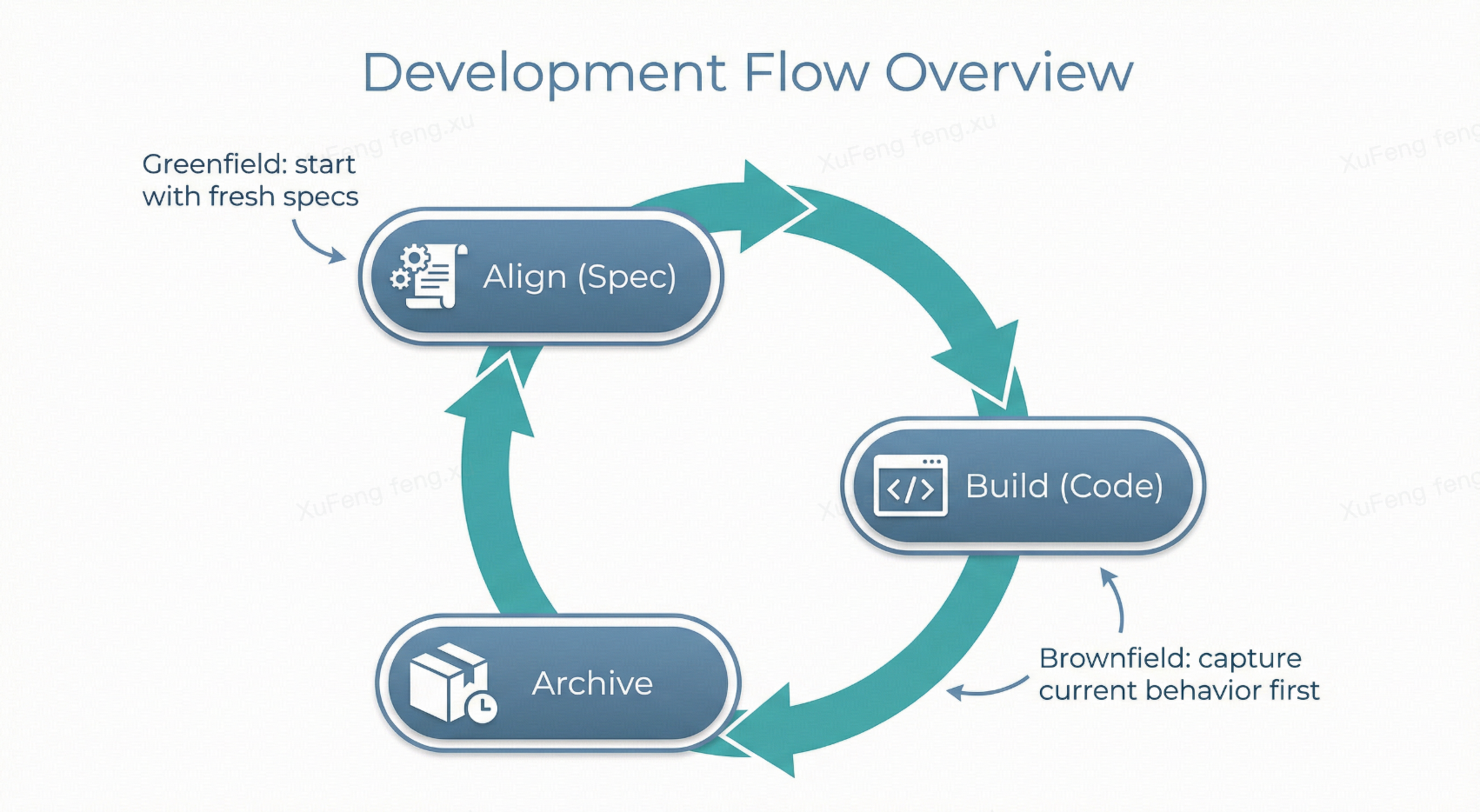
Whether building from scratch or modifying an existing system, the underlying rhythm is the same: Align (Spec) → Build (Code) → Preserve (Archive).
The difference is the starting point: new systems build specs from zero; existing systems first “capture” current behavior into specs, then use Delta Specs for incremental changes.
Scenario 1: Greenfield (New System)
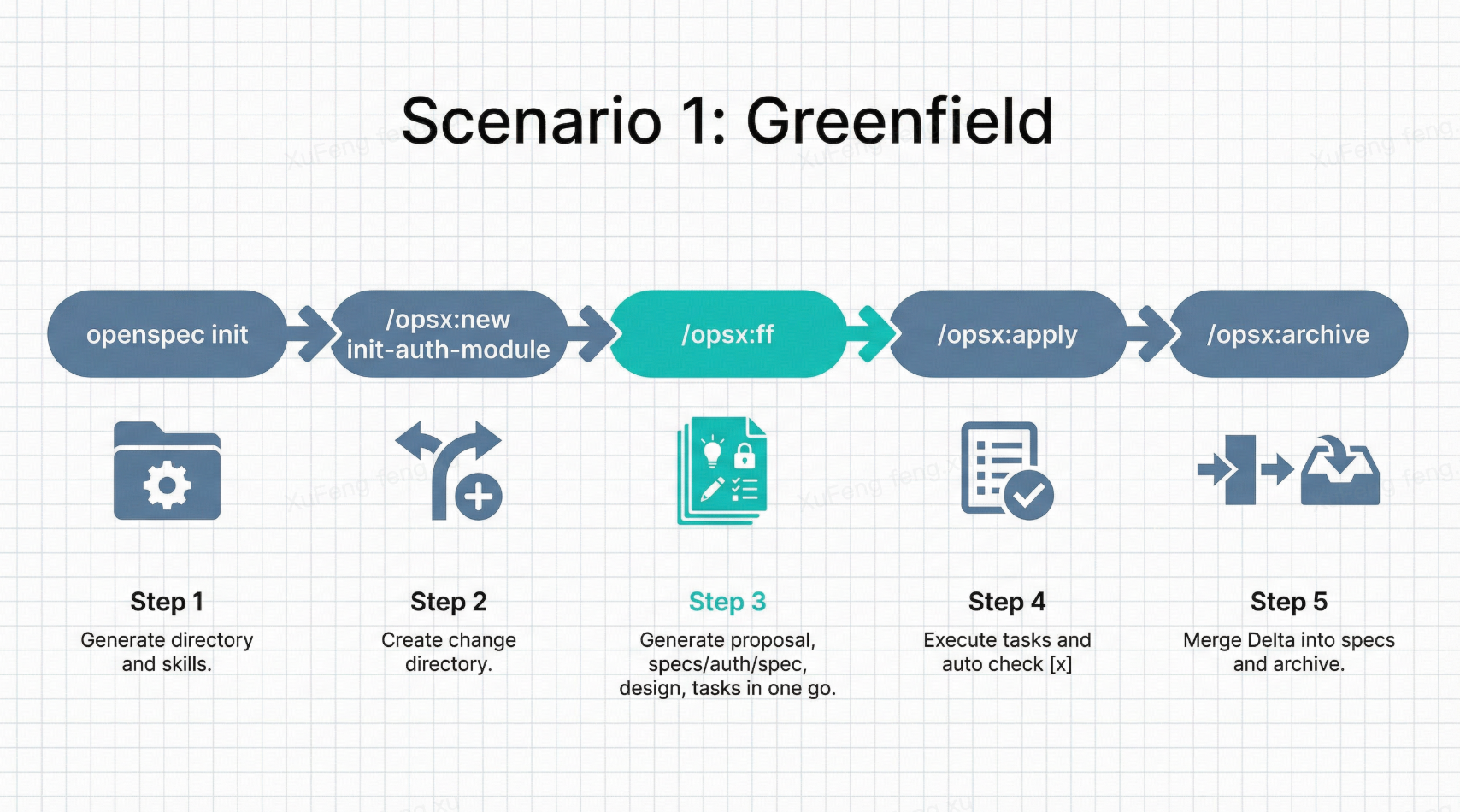
Say you’re building an operations management dashboard from scratch.
Step 1: Initialize
1 | cd your-new-project |
This generates the openspec/ directory structure and injects skill files into .claude/ so Claude Code understands /opsx:* commands. At this point specs/ is empty.
Step 2: Define the first change
1 | /opsx:new init-auth-module |
Claude Code creates the openspec/changes/init-auth-module/ directory.
Step 3: Generate planning artifacts
If requirements are clear, fast-forward:
1 | /opsx:ff |
Claude Code generates all four files at once:
- proposal.md — Auth module goals, scope, and risks
- specs/auth/spec.md — Behavior defined with GIVEN-WHEN-THEN scenarios
- design.md — Technical approach (e.g., “NextAuth.js, sessions in Redis”)
- tasks.md — Implementation checklist, broken down to file level
Review the four files. Design choice doesn’t fit? Edit the file directly or discuss adjustments with Claude Code.
Step 4: AI implements
1 | /opsx:apply |
Claude Code reads tasks.md and works through each task—creating files, writing code, updating configs. Each completed task gets checked off [x]. You watch like a project manager; call stop anytime.
Step 5: Archive
1 | /opsx:archive |
Delta specs merge into openspec/specs/auth/spec.md. The change directory moves to archive/. Now specs/ holds the system’s first behavioral specification.
Repeat this cycle for each new module. After each archive, specs/ grows richer—the system’s source of truth fills out incrementally.
In greenfield projects, early changes are almost entirely ADDED specs. As the system matures, you’ll see more MODIFIED and REMOVED, naturally transitioning to the brownfield pattern.
Scenario 2: Brownfield (Existing System)
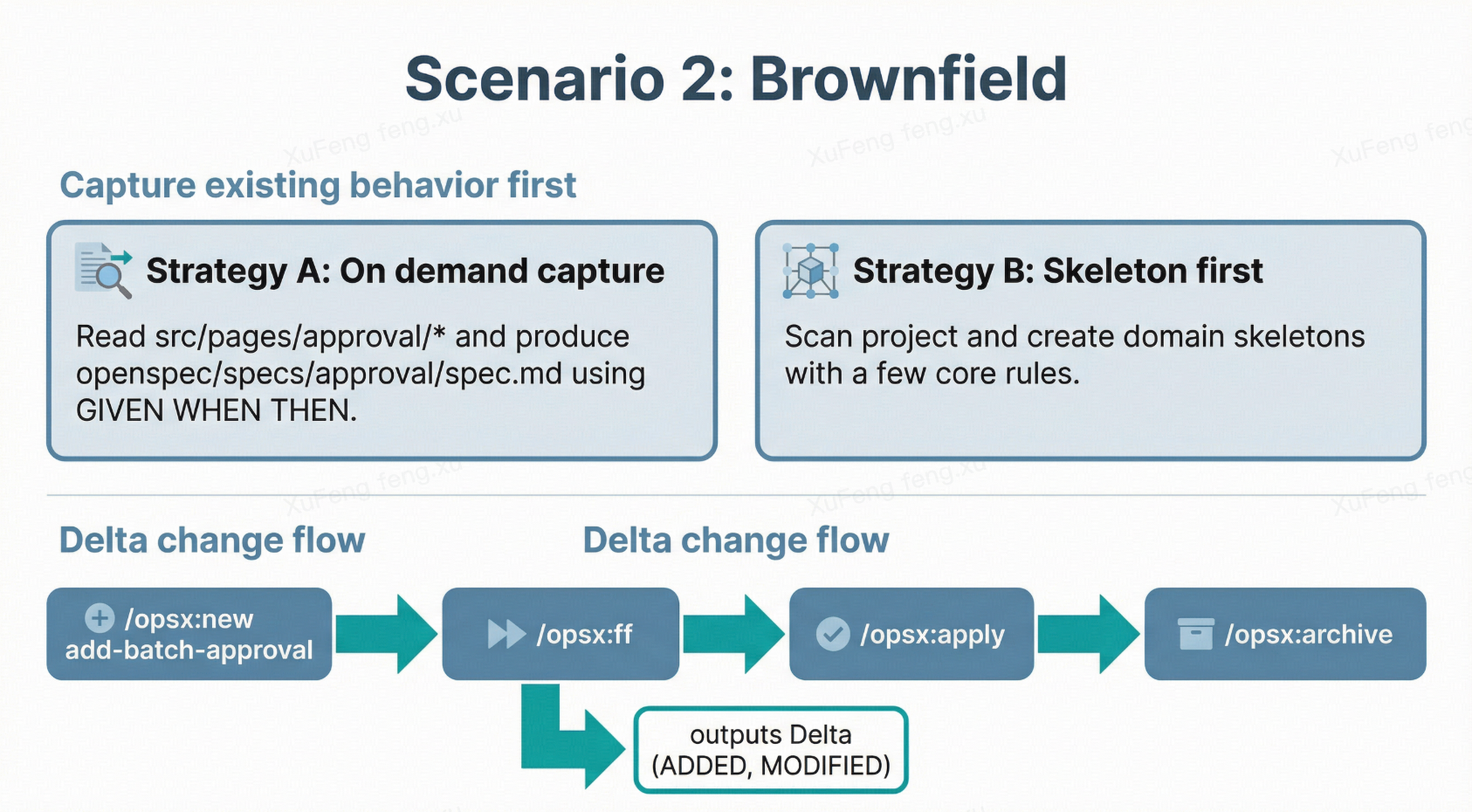
The more common scenario—a platform that’s been running for years, and you need to add features or modify existing logic.
Key difference: you need to “capture” existing behavior first.
The specs/ directory starts empty, but the system already has extensive existing behavior. Two strategies:
Strategy A: Capture on demand (recommended)
Don’t try to spec the entire system at once. Only when modifying a module, have Claude Code capture its current behavior:
1 | I need to modify the approval center module. First, read the code under |
Claude Code reads the code and produces a spec describing the status quo. After your review, this becomes the module’s baseline.
Strategy B: Skeleton first, details later
Have Claude Code scan the entire project structure and generate a skeleton specs/ directory with only the most critical rules per domain. Fill in details during subsequent changes.
Then enter the normal change workflow. Say you want to add “batch approval”:
1 | /opsx:new add-batch-approval |
The generated spec is a Delta Spec—no rewriting the entire approval specification, just the increment:
1 | ## ADDED Requirements |
Only ADDED and MODIFIED sections—existing behavior stays untouched. This is Delta Specs’ value for existing systems: change scope is precisely controlled.
During /opsx:apply, Claude Code only modifies relevant files. After /opsx:archive, deltas merge back into the main spec automatically.
Daily Usage Patterns
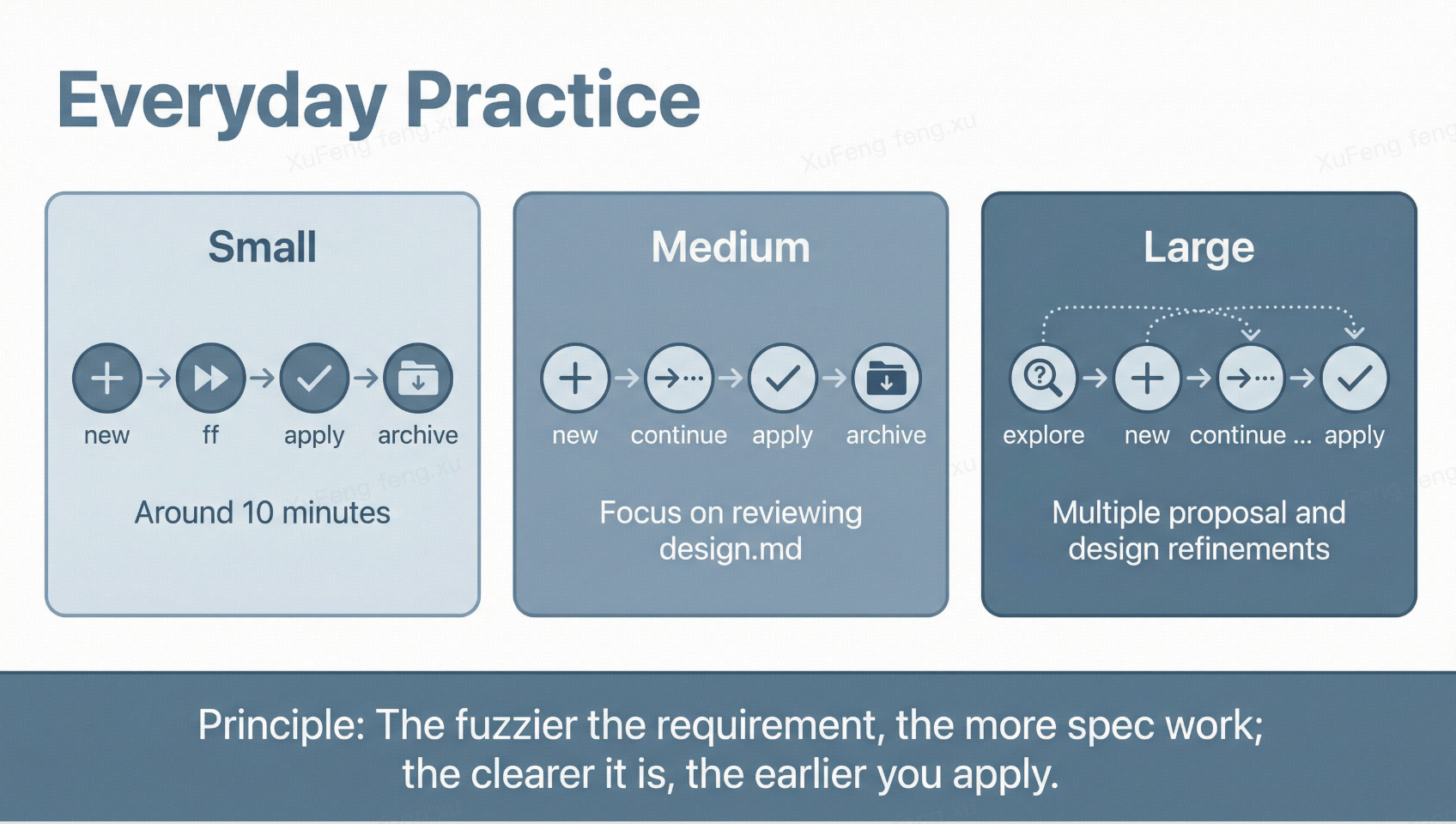
Choose depth based on requirement size:
Small tasks (bug fixes, UI tweaks): new → ff → apply → archive—fast-forward mode, done in ten minutes.
Medium tasks (new sub-feature): new → continue (step-by-step, review each) → apply → archive—focus on reviewing design.md for sound technical decisions.
Large tasks (new modules, refactors): Start with explore to have Claude Code analyze existing code and options, then new → continue → continue → .... The proposal and design may go through several rounds of revision before apply.
The core principle: the vaguer the requirement, the more time you spend at the spec layer; the clearer the requirement, the sooner you enter apply. OpenSpec’s flexibility lies in not forcing you through every step—instead, you choose the right depth for each situation.